Skip to content

Systems & Automations

Practical systems for the work behind your website.

For suitable new custom website projects, I can help organize inquiries and connect compatible business tools. I scope the work around what saves you repetitive effort, with your permission and a feasibility check before recommending a connection.

Possible connections

What this looks like in practice.

Inquiry notifications

Confirmation emails to the person who reached out and alerts to you, once a sending method is set up and tested.

Google Workspace

Adding inquiry details to a Google Sheet, or similar, once you authorize access and I confirm it works on the live site.

Scheduling

Linking to or embedding supported scheduling tools so qualified leads can book time.

Payments

Supported payment services for deposits or simple purchases, scoped case by case.

What happens after a customer reaches out?

Imagine someone visits your website and requests an estimate.

The request arrives in your email inbox.

You're busy working with another customer, so you plan to respond later.

By the end of the day, several more messages have arrived, and you're trying to remember which requests you've already handled.

This is where a more organized website can help.

Instead of relying entirely on email, incoming requests can be collected in a private dashboard where they're easier to review and manage.

Depending on the project, additional notifications and integrations can help move information to the tools the business already uses.

The goal isn't to automate everything.

It's to simplify the parts of the process that are unnecessarily repetitive.

Illustrative workflow

A simple example of how a connected website works.

  1. 01

    Customer inquiry

    A customer completes an inquiry form.

  2. 02

    Private dashboard

    The request is saved in the website's private inquiry dashboard.

  3. 03

    Owner notification

    The business owner receives a notification.

  4. 04

    Connected Google Sheet

    If configured, relevant information is recorded in a connected Google Sheet.

  5. 05

    Personal follow-up

    The business reviews the request, updates its status, and follows up.

Each business can have a slightly different process. Some only need a contact form and a private dashboard.

Others may benefit from calendar connections, more detailed forms, or additional automation. I look at what would actually make the work easier before recommending extra functionality.

Keep your customer requests in one organized place.

A private lead dashboard can help business owners review and organize website inquiries.

Rather than searching through email messages, authorized users can view submitted information and manage requests according to their status.

On eligible business website projects, this is part of the normal development offering.

More sophisticated CRM functionality, custom reporting, advanced permissions, and specialized workflow systems may require additional development.

Connect your website to tools you already use.

These connections complement suitable new custom website builds, rather than being a standard automation retrofit for any existing website.

Many businesses already use Google Workspace for email, calendars, and spreadsheets.

Depending on the project, I can help connect supported website functionality to those tools.

Google Sheets can help organize incoming inquiry information.

Gmail and appropriate sending services can support notifications or customer confirmations.

Google Calendar and compatible scheduling tools may help manage appointments.

Straightforward connections can be included in the standard project when appropriate.

More involved integrations are evaluated separately.

All connections require compatible tools, access to client-authorized accounts, technical feasibility and testing. I connect third-party services; I don't own or develop those services.


Make booking appointments less complicated.

Some businesses spend a considerable amount of time coordinating appointments.

An appropriate scheduling tool can make it easier for customers to request or select available times.

Sometimes adding a booking link is enough.

Other projects may benefit from a more integrated scheduling experience.

I'll review the business's existing tools before recommending an approach.

Give customers a clear way to pay when the process requires it.

Some businesses need to collect deposits, accept payments, or allow customers to purchase services.

When appropriate, I can help connect supported third party payment services.

The implementation depends on the payment provider, the business's requirements, and any applicable account or compliance considerations.

Processing fees and outside subscriptions are separate from website development costs.

For businesses that need something more specialized.

A standard website can already include useful forms, inquiry management, and straightforward integrations.

But some businesses need additional functionality.

That might involve a specialized process for handling customer information, multiple connected services, or an administrative workflow tailored to how the company operates.

These projects require additional planning and testing.

Advanced automation starts at an additional $395 for a clearly defined, straightforward workflow.

More complex systems are quoted individually.

Save Our Seniors: practical tools behind the mission.

Save Our Seniors needed more than a public website introducing its mission. The organization also needed ways for volunteers and businesses to register their interest.

The project includes submission forms and private administrative functionality for managing those requests. This is an example of how a website can combine public information with useful organizational tools.

Not every integration is possible, and not every business needs one.

Different software platforms offer different capabilities. Some integrations require paid subscriptions, special permissions, or additional maintenance. Others may not support the functionality a business wants.

Before recommending an integration, I'll review whether it's feasible, what it will cost, and whether it genuinely improves the process. If a simpler solution works better, that's what I'll recommend.

The honest details

  • Straightforward integrations can be included within the agreed scope. All connections require your authorization, feasibility checks and testing.
  • Some services have their own subscription costs — you'll know before I connect anything.
  • Not every tool offers what's needed; if something isn't feasible, I'll say so.

Related work

Examples of this kind of work.

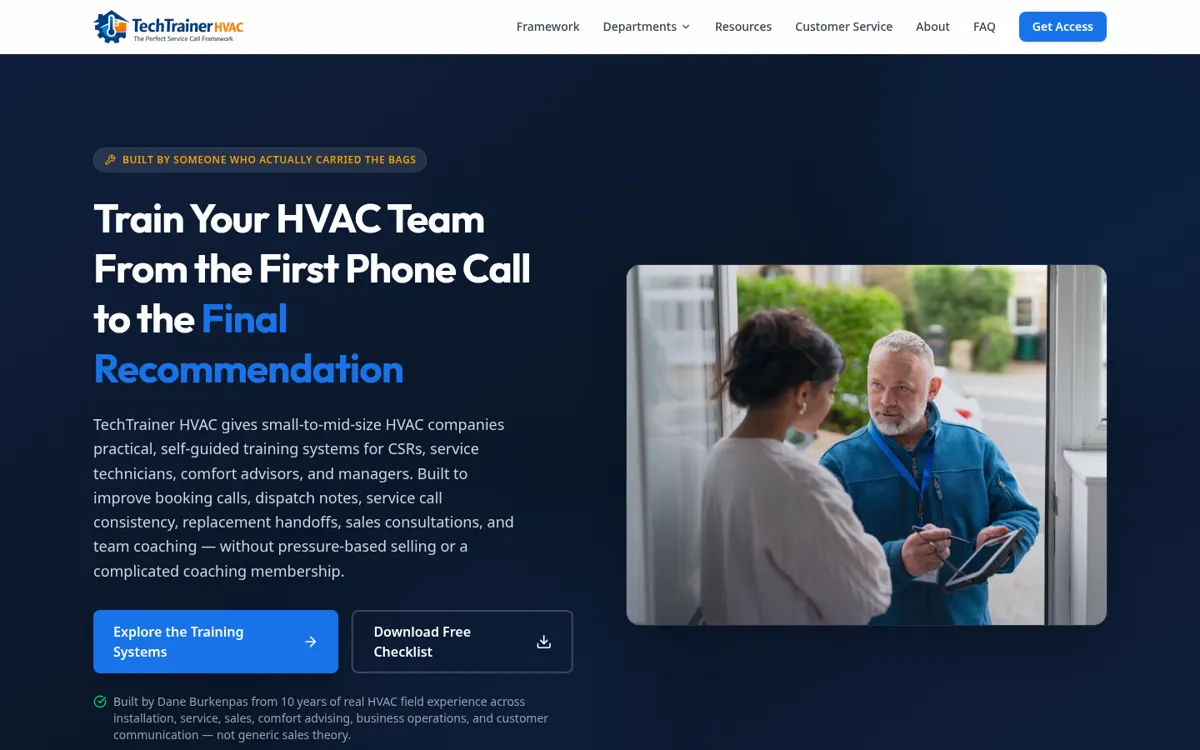
Homepage of the live TechTrainer HVAC website
Training productProduct website

TechTrainer HVAC

A product and training website for HVAC team development systems.

About this project

Training resources developed around real HVAC industry roles.

TechTrainer HVAC provides training resources for HVAC customer service representatives, comfort advisors, and service teams.

The website organizes the training offerings so visitors can explore products relevant to their roles.

The project combines specialized industry knowledge with practical digital product presentation.

Other services

Have a project in mind?

Tell me a little about your business. I'll reply personally — usually with a few questions and an honest view of what makes sense.